
Part of DLM Auto · 01 Job arrives · 05 Deliver
AutoMov
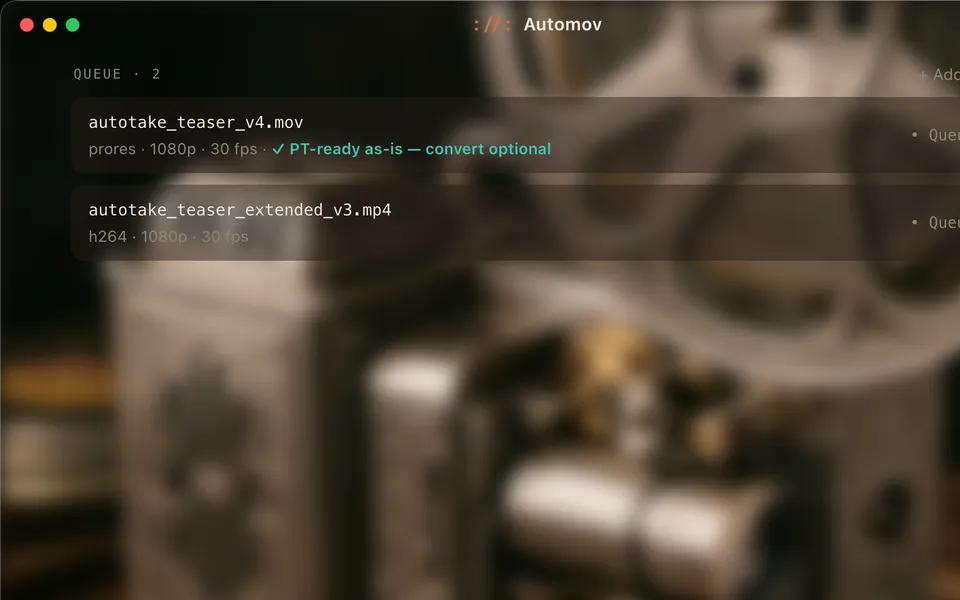
Picture, ready for the session. AutoMov converts video to ProRes or DNxHR for Pro Tools and can put it straight onto a new video track. When the work goes out for approval, it makes the share copy.
What it does
Picture in. Copies out.
Picture in, at stage 01
AutoMov takes the video that arrives with the job: .mov, .mp4, .m4v, .mxf, .avi, .mkv, .mts and .m2ts. It converts it to ProRes or DNxHR, formats Pro Tools is happy with, and can import the result straight onto a new video track in the session.
Copies out, at stage 05
When the work goes to the client for approval, AutoMov makes a share copy: a smaller H.264 MP4 that plays on a Mac or a PC, at 1080p, 720p or the source size.
The highest quality at the smallest size.
How you use it
Convert, place, share.
Add your video
Drop in the files that came with the job, in whatever format they arrived.
Get it into Pro Tools
ProRes or DNxHR, imported straight onto a new video track if you want it there.
Make a share copy
A small H.264 MP4 for client approvals, at 1080p, 720p or source size.
Where it fits
Two stages: picture in, copies out.
- 01Job arrivesAutoPrep, with AutoMovPicture in
- 02DesignAutoDesign
- 03RecordAutoTake
- 04PremixAutoPremix
- 05Edit, mix & deliverAutoScript · DLM plug-insShare copies
AutoMov serves two stages. At 01 it brings picture into the session, alongside AutoPrep; at 05 it makes the share copies that go out for approval. See every stage on How it works.
FAQ
Questions about AutoMov.
What video can it take?
.mov, .mp4, .m4v, .mxf, .avi, .mkv, .mts and .m2ts. It converts them to ProRes or DNxHR for Pro Tools.
What is a share copy?
A smaller H.264 MP4 that plays on a Mac or a PC, at 1080p, 720p or the source size, for client approvals: the highest quality at the smallest size.
What do I need to run it?
A Mac on macOS 13 or later, and Pro Tools 2024 or later for the session.
Wayfinding